 Dorris
For a Shopify store owner who suspects the app bills have crept up See what your app subscriptions really cost, and which to replace first.
A spreadsheet that adds up every app your store pays for, by month and by year, and sorts each by what it does.
- 28 common kinds of Shopify app already listed
- Monthly and yearly totals worked out for you
- Filled-in example, a CSV copy and a one-page how-to
$9, paid once. Download from your receipt email after paying. 14-day no-questions refund.
The App stack audit is a spreadsheet for a Shopify store owner who wants to know what their app subscriptions really cost. You list each app, label it by what it does and mark it keep, replace or build, and the sheet adds the monthly and yearly totals. It's $9, paid once, as an .xlsx spreadsheet with a CSV copy, an example and a one-page how-to, with a 14-day no-questions refund.
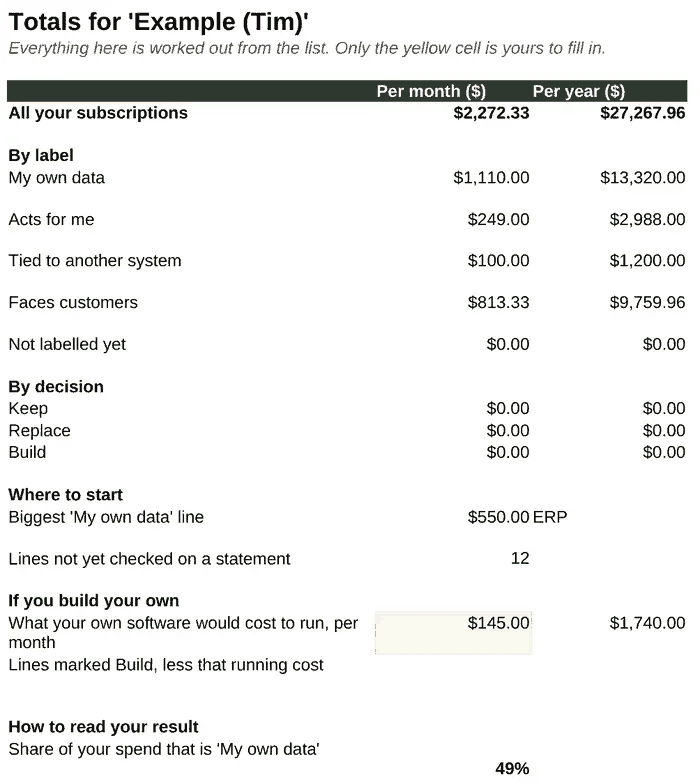
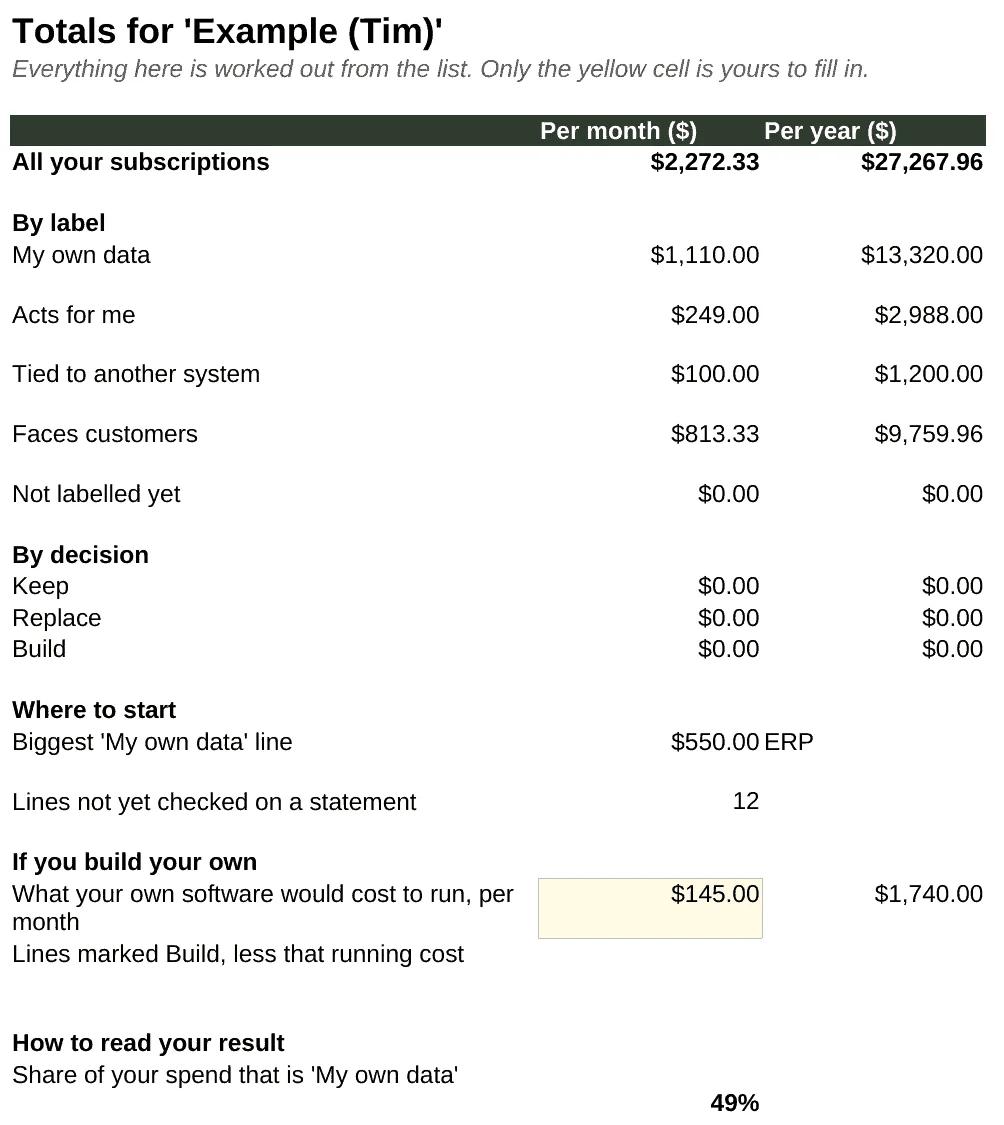
The Totals sheet above is the example as it opens in the download. The figures are my own estimates from memory.
It builds on the checklist I used on my own store, with a fourth label for storefront apps. My own list is on what my store paid in app subscriptions.
Who it's for
A store owner who suspects the app bills have crept up and wants the real number and a sensible order to deal with them. You don't need to code, and you don't need the Dorris kit.
What's inside
- The worksheet (
.xlsx), a standard spreadsheet file. We tested it in LibreOffice. It should open in Excel and Numbers. It comes with 28 common kinds of Shopify app already listed, each with what it usually does and a hint for its label, plus room for your own. - Totals worked out for you: per month and per year, by label, by decision, your biggest line worth replacing first, and how many lines you still need to check on a statement. A short "How to read your result" block shows what share of your spend is the kind worth replacing first.
- A filled-in example using my own twelve tools, so you can see what a finished sheet looks like.
- A plain CSV copy, if you'd rather paste it into something else.
- A one-page how-to, with a prompt you can paste into an AI chat once your list is done.
Renewal dates and when you last used an app go in the Notes column.
What the $9 sheet adds
Free trackers list your apps. This one also adds them up by what each app does, names the one worth replacing first, and comes filled in with my own twelve tools as a worked example.
The list of what's inside, above, is the rest of it: type in what each app costs, pick a label and a decision from the dropdowns, and the totals work themselves out.
$9
Paid once. The download link is in your receipt email. 14-day no-questions refund.
The 28 kinds of app, free
Here's the list the worksheet starts from, grouped by the label each kind usually gets. Use it as a checklist against your own bills, free. Your own app may belong under a different label. There's also a one-page printable copy, free to print and share.
My own data
| Kind of tool | What it does |
|---|---|
| Support inbox / helpdesk | Customer email in one place, ideally next to each order |
| Reports and analytics | Reports Shopify's own reports don't give you |
| Spreadsheet or data feed (ERP) | Pushes sales, stock or marketplace data into spreadsheets |
| Invoicing | Makes invoices and packing slips from orders |
| Inventory and purchase orders | Stock levels, reorder points, purchase orders |
| Customer lookup / CRM | A customer's history and notes in one place |
Acts for me
| Kind of tool | What it does |
|---|---|
| Email marketing | Newsletters and automated emails |
| SMS marketing | Text messages to customers |
| Back-in-stock and pre-order emails | Tells customers when an item returns |
| Review requests | Asks buyers for reviews and shows them |
| Subscriptions | Recurring orders and billing |
| Loyalty and rewards | Points, referrals, rewards |
| Upsell and cross-sell | Offers at cart and checkout |
| Discounts | Discounts beyond Shopify's own |
| Bundling | Sells bundles and splits them into line items |
| Shipping labels and fulfilment | Picking, packing, buying labels |
| Events and tickets | Ticket sales (some take a cut per ticket) |
Tied to another system
| Kind of tool | What it does |
|---|---|
| Retailer order feed (EDI) | Connects your store to a big retailer's system |
| Marketplace connector | Lists products and syncs orders with a marketplace |
| Accounting sync | Sends sales into your accounting software |
Faces customers
| Kind of tool | What it does |
|---|---|
| Shoppable video | Video widgets on the homepage and product pages |
| Blog | Powers the blog |
| Help centre / FAQ | Help articles for customers |
| A/B testing | Tests headlines, layouts or prices |
| Page builder | Builds landing pages |
| Pop-ups and forms | Email capture and announcement bars |
| Translation and currency | Other languages and currencies |
| SEO app | Meta tags, sitemaps, image alt text |
The worksheet sorts every app into one of four labels:
| Label | What it means | What to do |
|---|---|---|
| My own data | Shows your own orders and customers back to you: an inbox, reports, invoices, a spreadsheet feed | Replace these first. An AI agent can build them read-only |
| Acts for me | Sends emails or texts, moves money, or changes orders | Later, with more checking |
| Tied to another system | Connected to another company's system, like a retailer's order feed | Keep until you have a reason to change |
| Faces customers | Runs on your storefront | Change carefully: customers see it if it breaks |
Here's the totals sheet from the example, filled in with my own estimates. They're from memory and haven't been checked against statements:
| Total | Per month | Per year |
|---|---|---|
| All twelve subscriptions | $2,272.33 | $27,267.96 |
| My own data | $1,110.00 | $13,320.00 |
| Faces customers | $813.33 | $9,759.96 |
| Acts for me | $249.00 | $2,988.00 |
| Tied to another system | $100.00 | $1,200.00 |
| Lines not yet checked on a statement | 12 | |
| In my example, the share that is "My own data" | 49% |
I put those labels on using the worksheet's own rules. They don't record what I kept or switched off. Your copy starts with no figures, just the list of tool kinds ready to fill in.
What it won't do
It doesn't find your subscriptions for you, and it doesn't connect to your store, bank or card. Every number in it is one you type in. It won't tell you what you'll save: that depends on what you build and what that costs to run, and there's a cell for your own estimate of that. If you'd rather someone else sorted your list, the teardown is free while we test it.
Questions
What do I get?
A spreadsheet file (.xlsx) with 28 common kinds of Shopify app already listed, a blank CSV copy, a filled-in example from my own twelve tools, and a one-page how-to.
Which programs open it?
We tested it in LibreOffice. It should open in Excel and Numbers.
How do I get it, and can I get my money back?
The download link is in your receipt email. There is a 14-day no-questions refund.
$9
Paid once. The download link is in your receipt email.
14-day no-questions refund. Full terms and how refunds work.
Tim Haines