 Dorris
What you build first
A support inbox that puts each customer's Shopify orders beside their message, on your own computer first and online when you trust it.
- Free
You start with a support inbox: a customer's message in the middle, their orders from your Shopify store beside it, and a box for your reply under it. It's the one tool the kit ships with, small on purpose, a frame you grow into whatever your business needs.
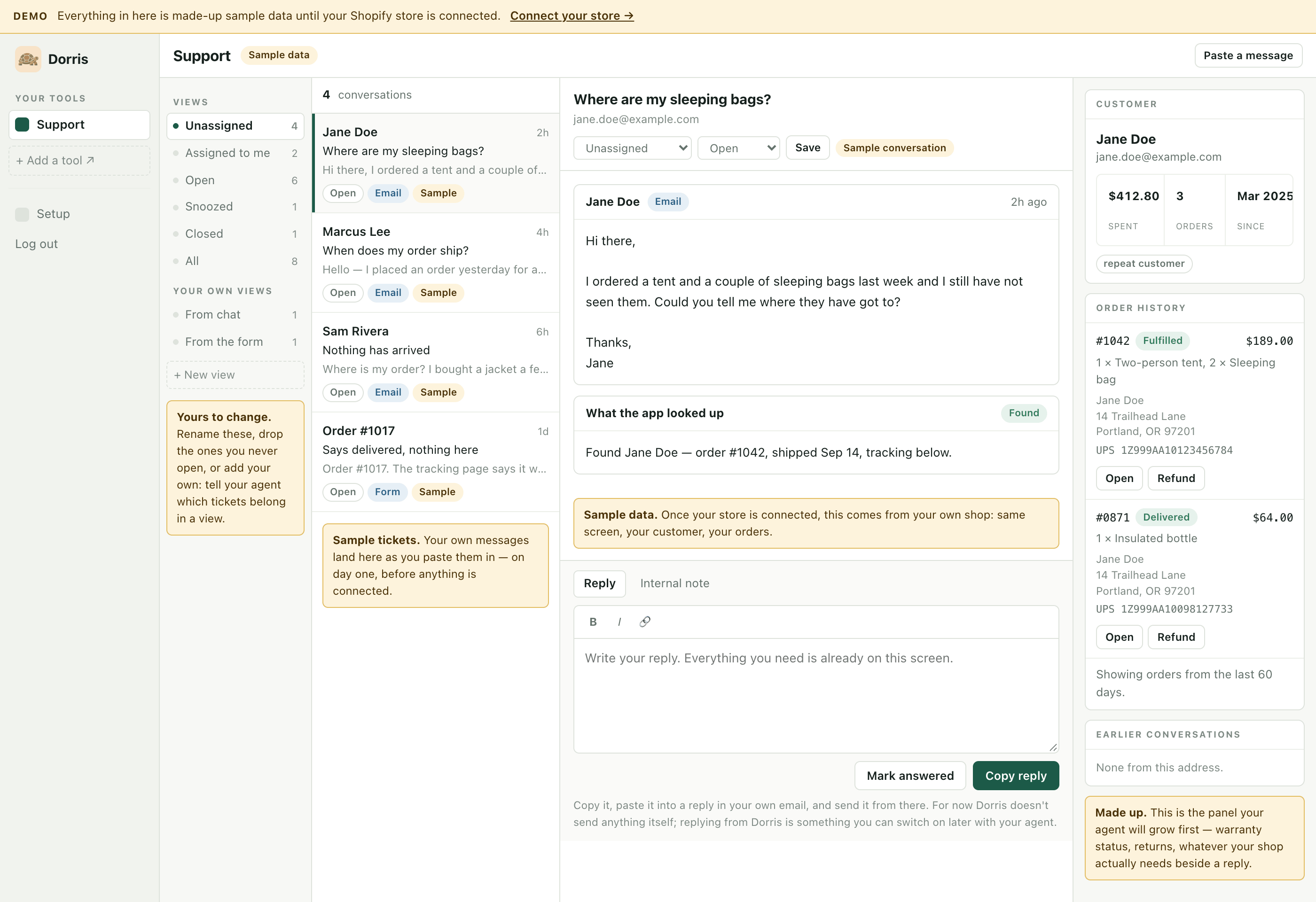
How a message gets in, and how your reply gets out
Before your email is connected, you paste a customer's message in and copy your reply out to send from your own email.
You see it work before a real message arrives. In setup's third step you type an order number or customer email, and a practice ticket opens with their real order beside it, under a made-up message marked Practice.
Setup's fourth and last step is your email. Your agent walks you through saving your support mailbox in the app, and from then on each customer email turns up by itself, with their order beside it. For now the app only reads the mailbox, so replies go out from your own email. Sending from the app is yours to switch on later with your agent.
What it looks up
The app finds the order by order number or by the customer's email address, and says what it found or that it found nothing. Beside the message are the customer's orders, with items and tracking. The connection starts read-only, on purpose: Can this break my store? covers the rest. Shopify shows it the last 60 days of orders, or all of them with an extra permission; Not for you if has the limits to know before you pay.
It never makes an order up
If the app doesn't get through to your store, it shows the error, never sample data: a fake tracking number in a real reply is worse. That flaw was caught in a mockup of this screen, the story in the free guide Mock it up first.
What isn't in it
There is no AI inside the app, so nothing is metered per use. AI drafting is yours to add later from the Library.
Your own computer first, then online
It starts on your own computer with made-up data. When you trust it, you put it online, where it runs with your laptop shut.
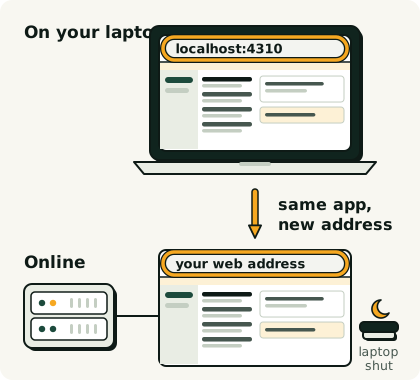
The lessons take you there: install Dorris, connect your Shopify store, see your real orders and connect your email, then make it yours and put it online. The first one is free: Before you start.
After the first tool
It's one tool on day one, and the list down the left grows as you add more: usually purchase orders, warranty claims, invoices. Where this goes next has more.
Want the plain answer to "can I build this myself with Claude Code?" It's here.