 Dorris
00 Waypoint
Before you start
You know what you're building toward, what it costs to get going, and the two-line move that gets you unstuck.
- Free
This is the reading before setup's step 1. Nothing to install yet: the doing is the two boxes at the bottom. Setup itself is four steps: install Dorris, connect your Shopify store, see your real orders, connect your email. By the end of the third, one of your own orders is on the screen beside a practice ticket. By the end of the fourth, customer emails arrive in the app by themselves.
What you are about to do
You're going to end up with a small web app that you own, doing a real job for your business. You get there by directing an agent: an AI that reads and writes files on your computer while you watch. You don't write the code. I never have.
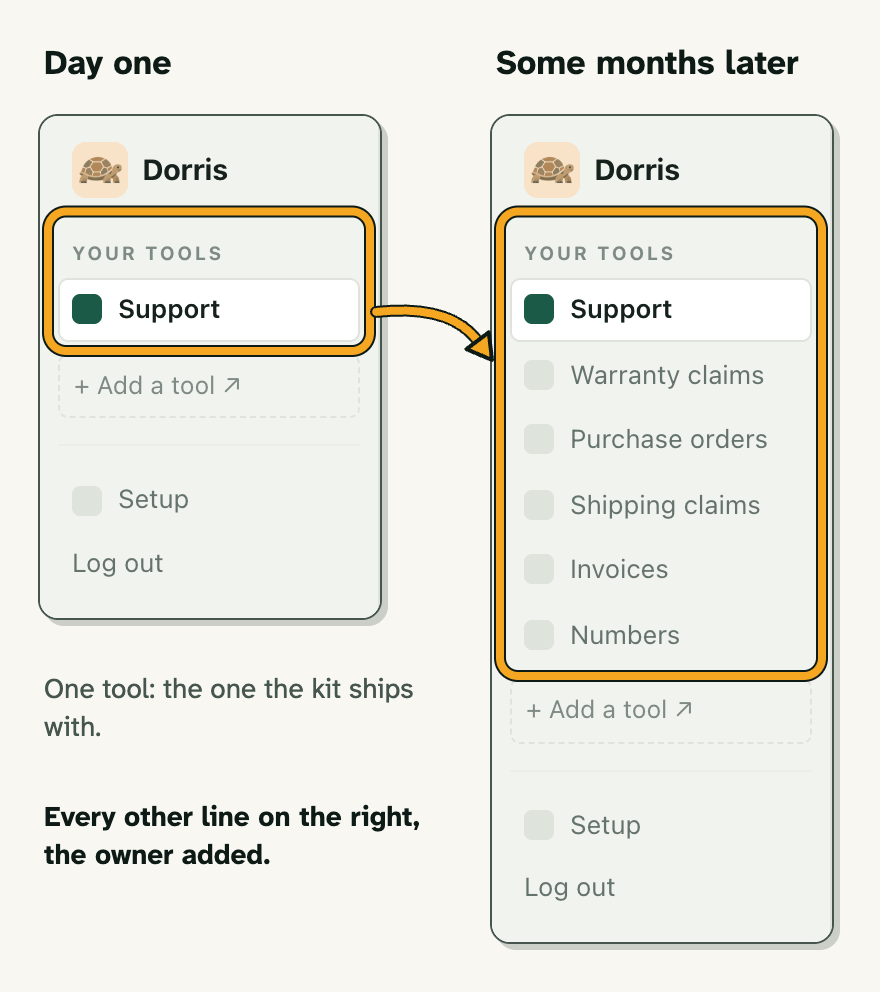
It looks bare the first time you open it, on purpose: one working tool and a lot of room. You fill the room by asking in plain English: different columns, new words on a button, a second tool beside the first.
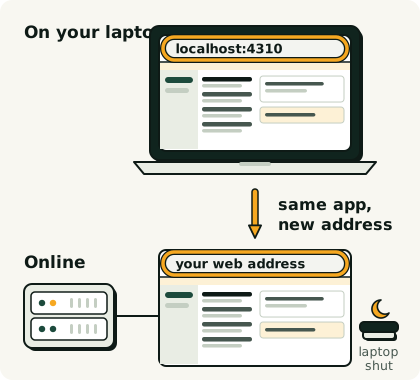
It starts on your own computer, as a private sandbox where nothing is live. When you trust it, you put it in the cloud and it runs with your laptop shut.
You'll be the one who looks after it
Looking after it means using it: when something's off, you tell your agent and check the fix when it's done. If you're picturing late nights fixing things, it isn't like that.
If setup gets stuck, write to me and I'll help you get it running. After that there's no support desk. It's you and your agent, and for me that has been enough every time. If you never want to think about your software, keep renting it. That's a fair choice.
What you pay for
You pay for a subscription to your agent to start, and later for somewhere to keep the app running once it's off your laptop. I began on the cheapest paid plan and moved up when I hit its limits. What this costs today has every number in one place.
There is no AI inside the app you build here, so nothing is metered per use. Add AI drafting later and that is a separate bill: subscription vs API key.
Where you will be working
These lessons show Claude, in the Claude desktop app's Code tab, pointed at a folder on your computer. If you already use ChatGPT or another agent, use that: every prompt here is plain English you can paste anywhere.
For now, point your agent at an empty practice folder. When you install Dorris, you point it at the kit's folder instead. Any computer works: Mac, Windows or Linux (on Linux, use the version that runs in a terminal).
When something breaks
When something breaks, copy the error, or screenshot it, and paste it to your agent with two lines. You don't need to understand the error yourself:
Something broke
Paste in what you did and what you got back. Your agent works out what went wrong, fixes it, and tells you in one sentence.
I just did this: <what you clicked or typed, in a few words>
This is what I got: <paste the error here, or drag in a screenshot>

I don't know what it means. Work out what went wrong and fix it. Then tell me in one plain sentence what was wrong and what you changed, and stop.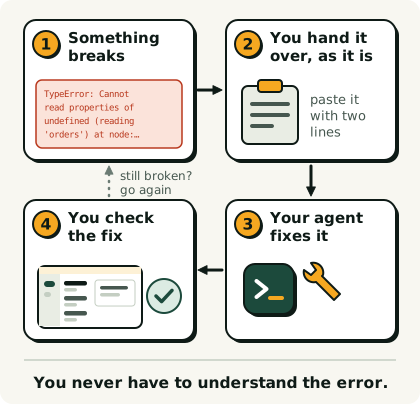
If that doesn't fix it, or the broken thing is live with real customers, use the careful version: the agent explains itself before it touches anything.
Stopping it
You can stop the agent while it's working: press stop, or tell it to. That's also why most prompts here end by telling it to stop and wait. Without that line it keeps going and makes changes you never asked for.
When your agent asks to add something
Now and then your agent asks to add a package: ready-made code other people publish, which the trade calls a dependency. It's usually fine, and anything added can be taken out later. Still read what it is before you say yes.
When you hit a usage limit
A usage limit message means you've used your plan's share for now, and it tells you when it resets. Nothing is broken or lost. Come back then and paste the "where was I" prompt from the Unstuck shelf. Usage limit says what gets counted.
Next you install Dorris, setup's step 1: one file to download, then a part at a time until the app is open on your own computer.